What’s new in uWebChat: easier setup and management, right in Microsoft Teams
We made big usability improvements to make setting up and managing uWebChat even easier. Everything now happens in one clear menu in Microsoft Teams, and opening hours follow the time zone of each group.
 uWebChat Team··3 min read
1 card
to create a group, was 9 to 11 steps
69
languages for the uWebChat bot in Teams
6
admin topics in one menu, all inside Teams
In this update
Easier to set up, easier to manage
One admin menu in Teams
Type “help” in your chat with uWebChat. Groups, agents, opening hours, domains, chat styles and the country blocklist, each one row with a back button.
Time zone per group
A group in Amsterdam and a group in New York each have their own 9 to 5. Daylight saving time is handled for you.
The bot speaks your language
All buttons, menus and messages of the bot in Teams exist in 69 languages, and the translations have been reviewed.
Just type what you need
Type a task such as “add group” and you get the same card as from the menu. No commands or numbers to remember.
Admin menu
Everything in one menu, inside Teams
No separate admin portal. Each task is one form: creating a group with name, language and members used to take 9 to 11 steps and is now a single card. The card updates in place, so setting up a group stays one message in the chat. Agents without admin rights see the same menu without the admin topics.
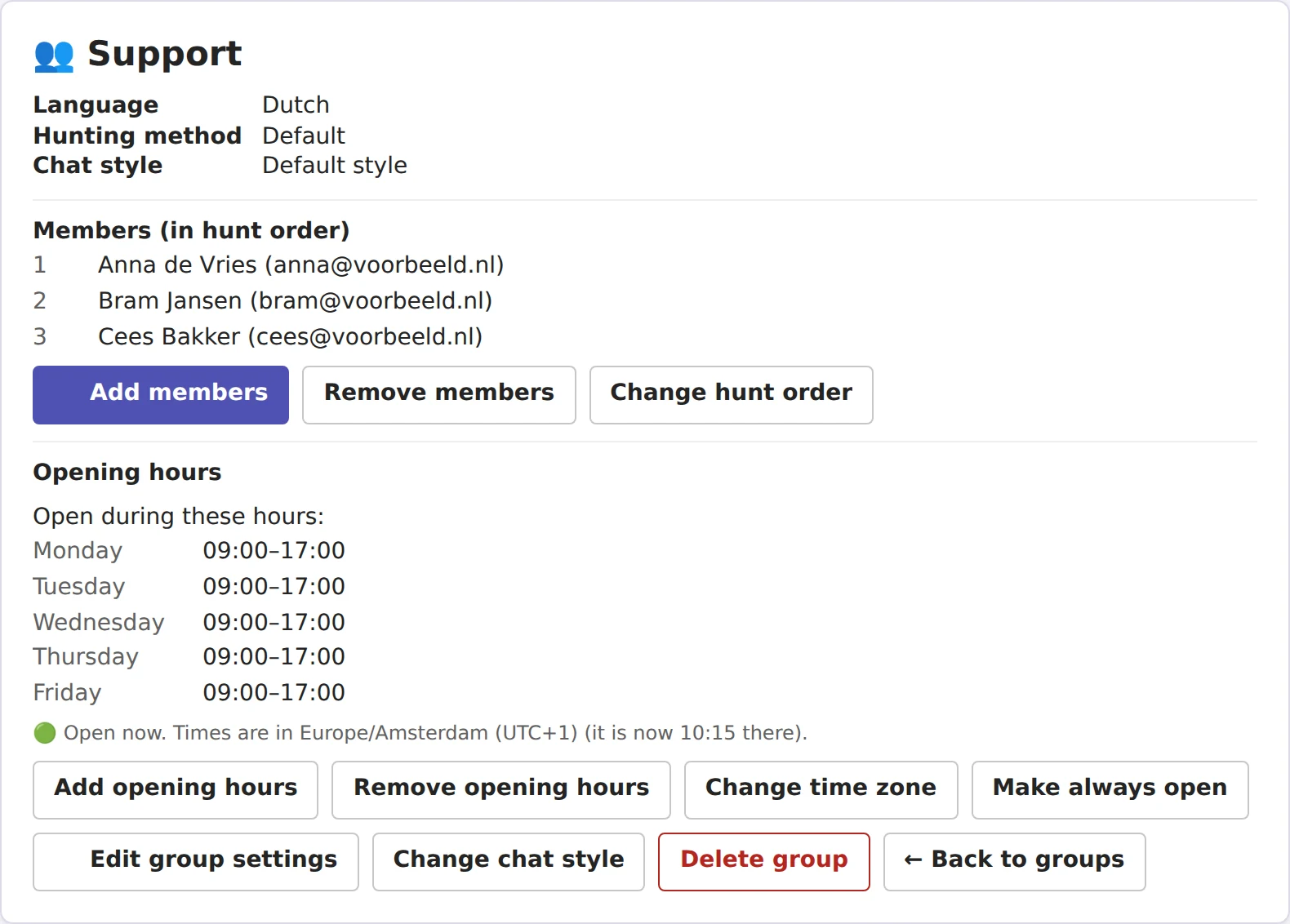
Group card
Everything about a group on one card
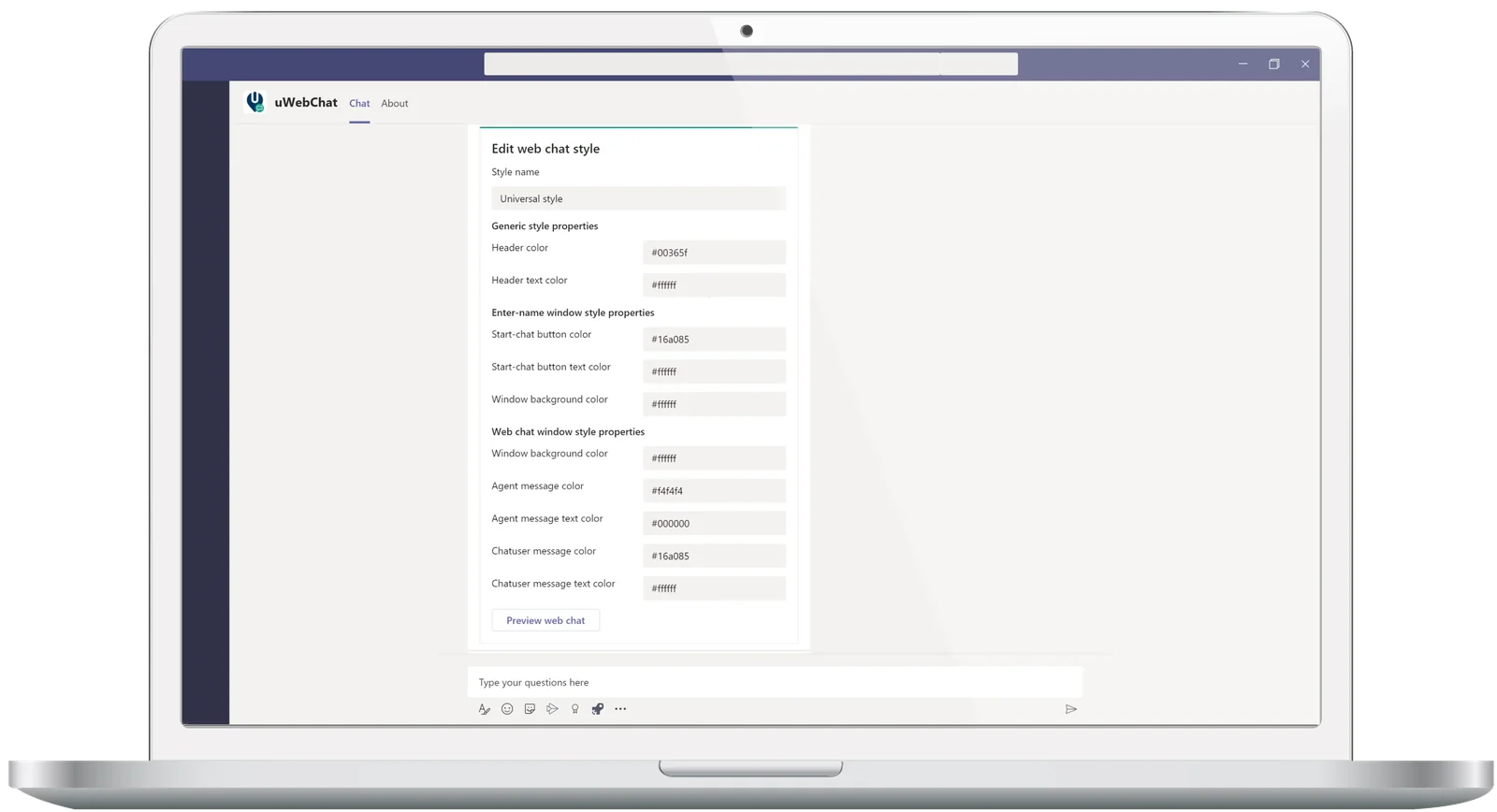
Members, the order in which chats are offered, opening hours, time zone and chat style. The card shows whether the group is open right now and warns you when opening hours are missing. Chat styles and the country blocklist can now also be managed from Teams.
Setting up a group
Before
- Nested submenus
- 9 to 11 cards to create one group
- No way back halfway through
- Chat styles and blocklist outside Teams
Now
- One menu with one row per topic
- One card to create a group
- A back button on every card
- Everything about a group on one card
How to get started
The update is live for everyone. You do not need to install anything in Teams.
- Type “help” in your chat with uWebChat in Microsoft Teams.
- Open “Manage groups”, pick a group and set its time zone.
- Existing groups keep their opening hours in UTC until you choose a time zone, so nothing shifts by itself.
Frequently asked questions
Do I have to do anything to get the new admin menu?
No. The menu is live for all organizations. Type “help” in your chat with uWebChat in Microsoft Teams to open it.
Will my existing opening hours change?
No. Groups that already existed keep their opening hours in UTC until an admin chooses a time zone on the group card. New groups get the time zone of the admin who creates them.
Can agents change settings in the menu?
Agents without admin rights see the same menu, but without the admin topics such as groups, domains and the blocklist.
Try uWebChat in Microsoft Teams
Free for 1 agent, without a credit card. Set it up from Teams in minutes.
Try uWebChat for free