Add video chat to your website: from chat to call in one click
Some questions need a face, not ten chat messages. With uWebChat your website chat turns into a Teams video call in one click.
 uWebChat Team··3 min read
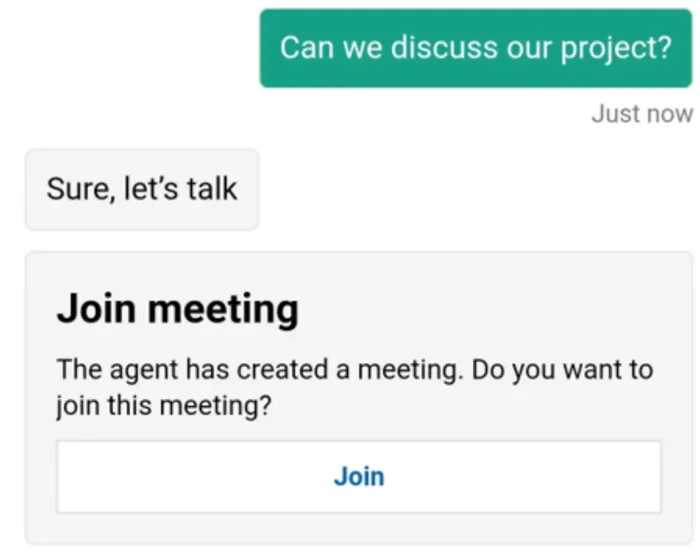
1
command: /MeetNow
0
apps for the visitor
€3
per agent per month
How it works
From chat to video call
The conversation starts as a normal live chat. Video is one step further, not a separate tool.
Visitor on your website
Live chat
Microsoft Teams
Use cases
When video makes the difference
Sales demos
Show the product live to a prospect at the moment they ask about it.
Technical support
Let the customer show what they see instead of describing it.
Advice
Move a sensitive question to a private call with a financial, legal or IT adviser.
E-commerce
Personal advice on expensive products, straight from the product page.
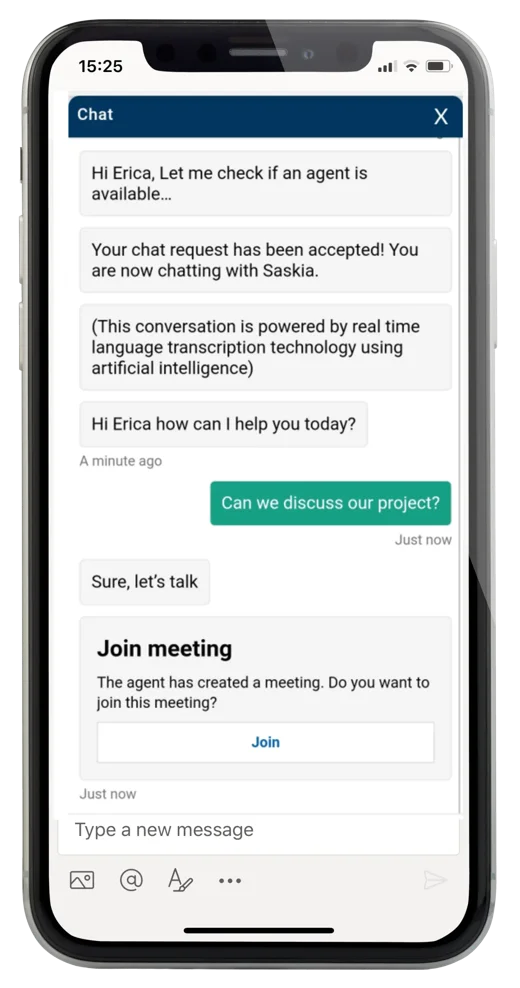
For the visitor
One click on Join
The meeting link arrives in the chat window. The visitor joins by video or audio only, on desktop or mobile, without an app or account.
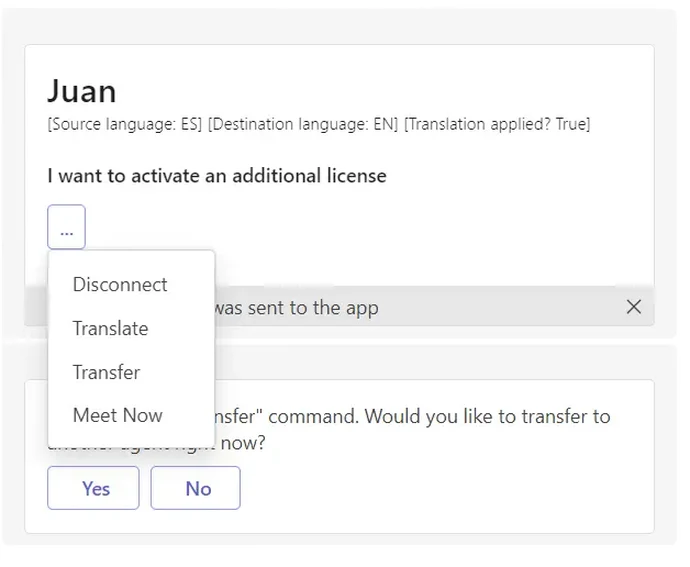
For your team
Agents stay in Teams
Your agent starts the call from the same Teams conversation, by typing /MeetNow or choosing Meet Now in the menu. No separate video platform, no extra login. The chat stays open next to the call.
Separate video tool or video from your chat?
Separate video tool
- Send a link by email and schedule a time
- Visitor installs an app or creates an account
- Another platform for your team to manage
- Chat and call live in two places
Video from uWebChat
- From chat to call at the moment of the question
- Visitor joins in the browser
- Runs on the Microsoft Teams you already use
- Chat stays open next to the call
Add video chat in four steps
Live chat is free for 1 agent. Video calls are part of every paid plan.
- Install the free uWebChat app in Microsoft Teams
- Place the chat widget on your website with one snippet
- Choose the Basic plan or higher to enable MeetNow
- Type /MeetNow in a conversation and the visitor gets a join link
“Ten messages back and forth, or one short call. Your visitor decides, in the same chat window.”
Frequently asked questions
Does the visitor need to install anything?
No. The visitor gets a link in the chat window and joins the Microsoft Teams call in the browser, on desktop or mobile. No app and no Microsoft account are needed.
Can the visitor join with audio only?
Yes. Visitor and agent each choose whether to turn the camera on. A voice-only call works just as well.
Which plan includes video calls?
MeetNow, the video and voice feature, is included from the Basic plan at EUR 3 per agent per month. The live chat widget itself is free for 1 agent.
Is the video call secure?
Calls run on Microsoft Teams and follow the security settings of your own Microsoft 365 environment. uWebChat does not store chat or call content.
Add video chat to your website
Start free with live chat and switch on video calls when you need them.
Try uWebChat for free