Custom Fields
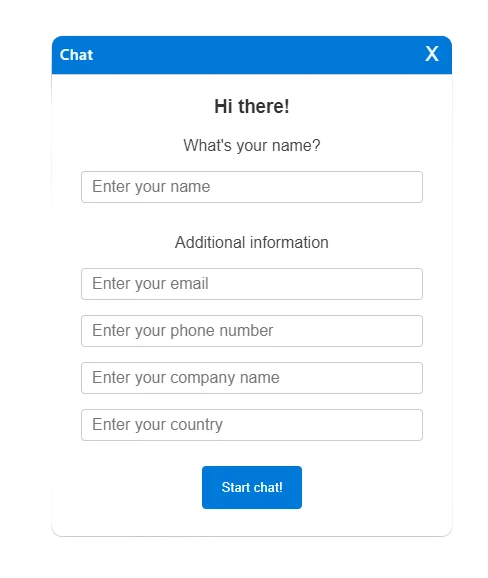
Collect visitor information with optional or required fields for email, company, phone, and country.
Add custom fields to your chat window to collect specific visitor information. Whether you need to follow up with visitors after the chat or capture company information for B2B interactions, custom fields let you gather exactly what you need before conversations begin.
Tailored Experience
Select and customize fields most relevant to your business needs within the chat initiation window. Choose from email, company name, phone number, or country fields.
Required or Optional Fields
Mark specific fields as mandatory to ensure complete data collection. For example, require email addresses for follow-ups or company names for B2B qualification.
GDPR & Data Security
uWebChat does not store chat content on its servers, ensuring conversations remain private. Data is stored in your OneDrive where your company security policies apply.
Seamless Setup
The intuitive interface allows quick configuration of custom fields without requiring complex technical setup. Get started collecting visitor information in minutes.
Key benefits
- Email, company, phone, country fields
- Required/optional settings
- GDPR compliant - no chat content stored
- Easy configuration
Explore related features
Discover more features that work well with Custom Fields
Ready to get started with Custom Fields?
Try uWebChat free and see how Custom Fields can improve your customer communication.
Start freeStart answering website visitors from Microsoft Teams
Free for 1 agent, no credit card. Install the app in Teams and your first chat is live in minutes.