
Website live chat, answered from Microsoft Teams
Let visitors chat with your people or AI, with smart routing, translation and video built in.
- Free for 1 agent
- No credit card
- Live in minutes
- Built on Microsoft Azure
- ★ 4.6 on Microsoft Marketplace
Welcome! How can I help you?
uWebChat · AI assistant
I'd like to know more about video chat

The lightweight, secure customer conversation layer for organizations already using Microsoft Teams.
Your team stays in Teams
Website chats arrive in Microsoft Teams and go to whoever is available. No extra inbox, no extra dashboard.
Your chat content stays under your control
uWebChat stores no chat content. Agents can save chats to your own OneDrive, inside your Microsoft 365 tenant.
Your customers can use any language
Real-time translation in 68 languages, both ways. Visitors write in their language, your team answers in theirs.
Grow when you need to: add AI answers, WhatsApp, video calls and smart routing as your team grows.
Explore all features →See it in action
Not just another chat widget
A live chat that fits your business and the way your team works, answered right inside Microsoft Teams.
- Your style: the colors of your own brand.
- Your opening hours: per team, in your own time zone.
- AI assistant: answers frequent questions 24/7 and hands over to your team.
- No waiting: every chat goes straight to an available agent, based on Teams status.
- Personal avatars: visitors see who is helping them.
- Video calls: from chat to a Teams video call in one click.
Popular features
Discover the powerful capabilities that make uWebChat unique
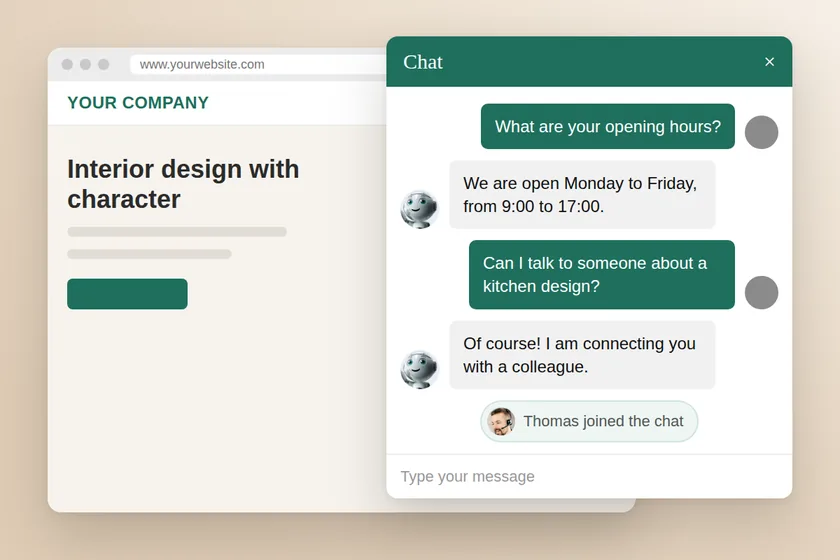
Virtual assistant
Automated responses for frequently asked questions with self-learning capabilities.
Learn more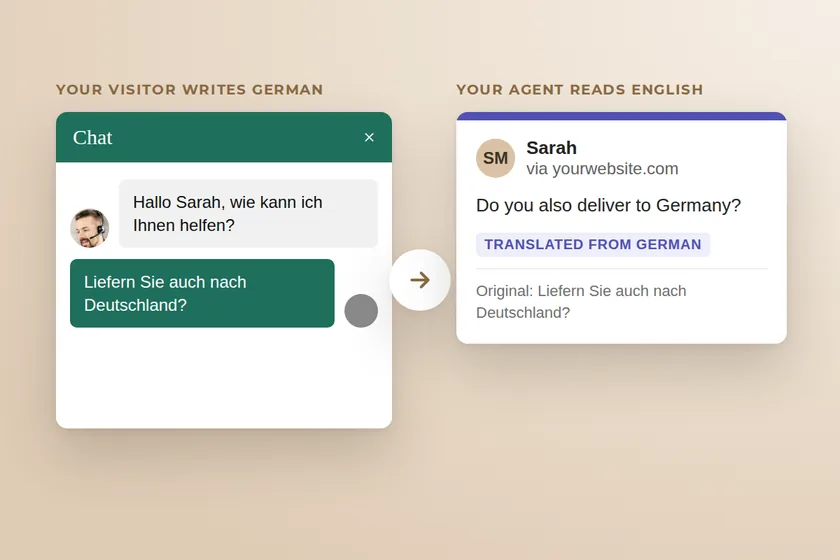
Realtime translation
Automatic realtime translation from and to the language of your visitor, automatic detection and translation.
Learn more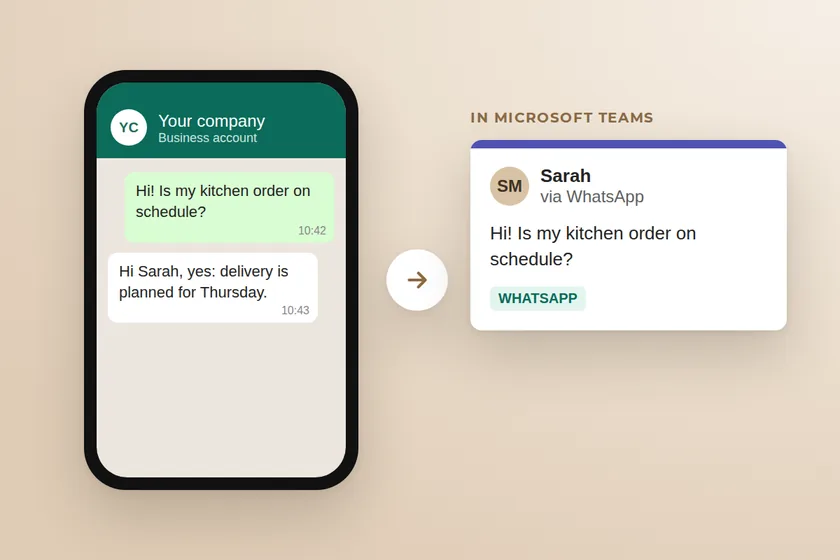
WhatsApp Integration
Connect WhatsApp for Business with uWebChat's intelligent features.
Learn more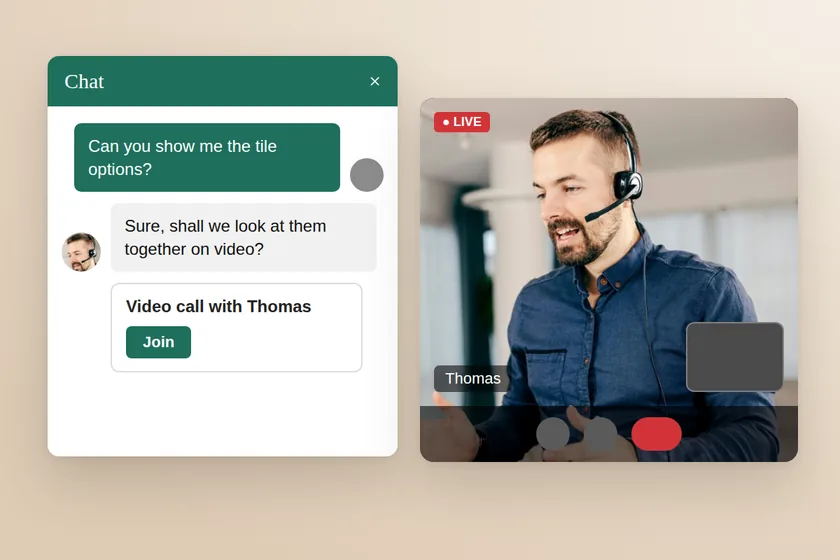
MeetNow
Simply convert the chat to a audio- or videocall. Instant and easy. No plugins. 100% browser based.
Learn more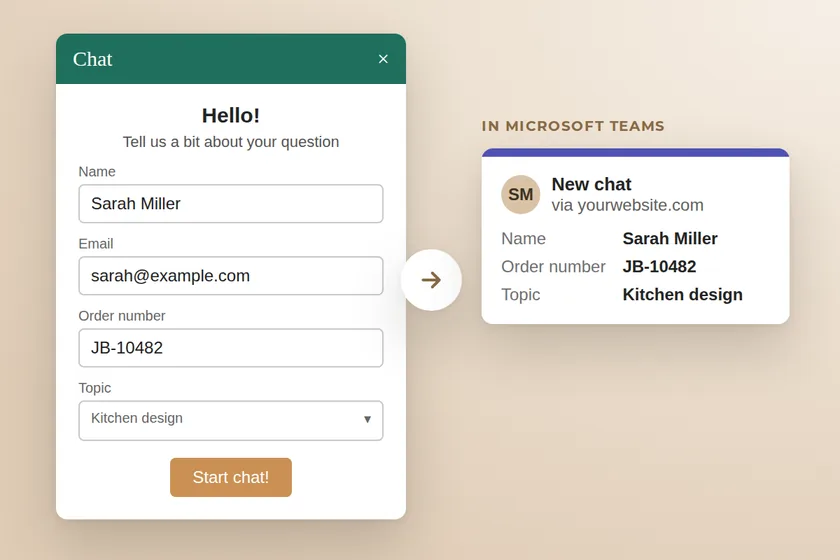
Custom fields
Collect visitor information with optional or required fields for email, company, phone, and country.
Learn more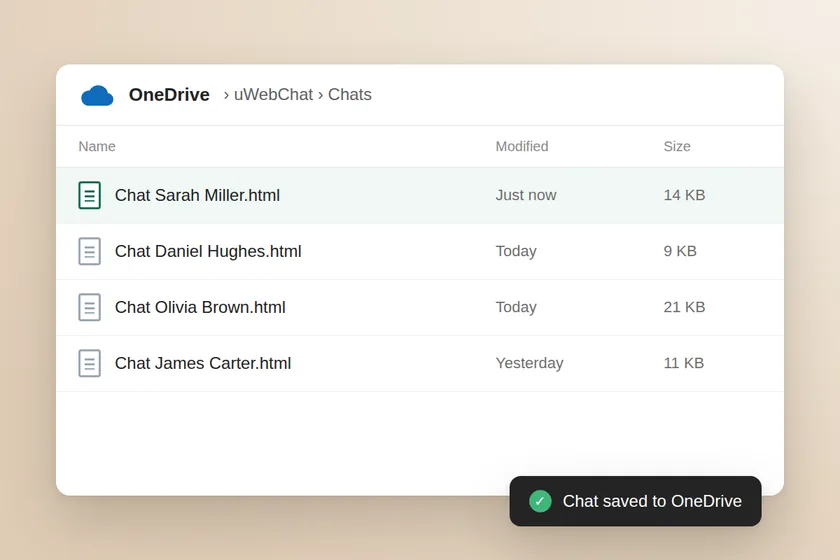
Archive to OneDrive
Chat history and Q&A database storage in OneDrive.
Learn moreAll features
Routing and availability
Channels and communication
Security and customization
Guides and resources
Practical reading before you add chat to your website